MEASLAB · DESKTOP APPLICATIONYour instruments.
Your sequence.
One connected workflow.
Design measurements channel by channel. Run your sequence, explore the results, and keep your work connected to MeasHub.
Compatible NI CompactDAQ chassis: cDAQ-9171, cDAQ-9174, cDAQ-9178, cDAQ-9179.
Having issues? Check whether your firmware is older than the tested version.
01 CONNECT
Different connections.
One place to begin.
Bring supported instruments into MeasLab through the connections already on your bench.
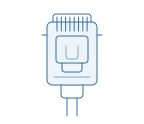
GPIB
Parallel instrument bus
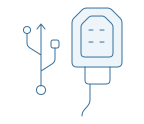
USBTMC
USB instrument connection
02 DESIGN THE SEQUENCE
A channel at a time.
A measurement
of your own.
Choose what each channel does. Use Priority to combine changing conditions into a repeatable measurement.
THE EXAMPLEOne sweep.
Three bias conditions.Hold one condition while the other channel sweeps. Then move to the next condition.
Sequence 02 Characterize2 channels
| Channel | Pattern | Priority |
|---|
| Ch. 1Bias voltage | List0.5 · 1.0 · 1.5 V | P2 |
| Ch. 2Source V · Measure I | Sweep0 → 1 VdV = 0.5 V | P1 |
Priority arrangement Both channels, one IndexFollow the values together
Index 01Ch. 1 0.5 VCh. 2 0.0 V
Ch. 1 holds 0.5 V while Ch. 2 steps through 0 → 0.5 → 1 V.
03 RUN
Designed by you.
Executed step by step.
Let the sequence advance automatically, or choose when to acquire each point with Manual Once Trigger.
ASequence run
Press Run. MeasLab follows the sequence and advances through every Index.
01Prepare02Characterize03Finish
Ch. 1 · Bias— V
Ch. 2 · Sweep— V
INDEXCH. 1 · VCH. 2 · V
Current vs. source voltage0 / 50 points
0.50 V0.75 V1.00 V1.25 V1.50 V
Illustrative measurement data
Ready · 50 points, acquired in order BManual Once Trigger
You decide when each acquisition happens. Every accepted point is added to the result.
Measuring channels: Once
Other channels: SetTake the next point
when you are ready.
Keep the conditions set. Trigger again whenever you want another measurement.
Waiting for your trigger0 acquisitions
Click Trigger to acquire the first point.
One trigger adds one pointClear trigger example 04 REVIEW
Find the view
that tells the story.
Choose your axes. Compare conditions. Shape the plot you need, then take the result with you.
YOUR GRAPHSVG · PNG
YOUR DATACSV
50 points across five bias conditionsBias sweep study
0.50 V0.75 V1.00 V1.25 V1.50 V
Illustrative data05 ONE WORKSPACE
The recipe. The result.
The connection between them.
Bring your work from MeasLab to MeasHub.
Keep what you measured connected to how you measured it.
 Your measurement workspace
Bias sweep studyRecipe · channel conditions & sequences
PRJCharacterizeMeasurement data · 50 points
BIN Your connected work
Recipe and result stay linked